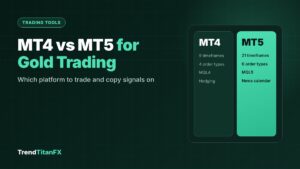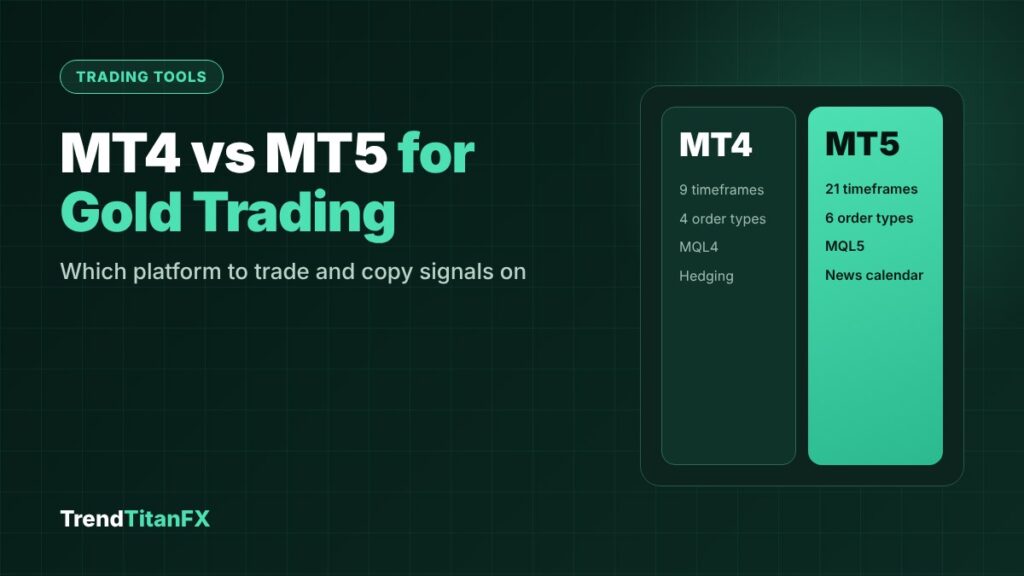
For most gold traders, MT5 is the better choice: it has more timeframes (21 vs 9), extra order types such as Buy Stop Limit, a built-in economic calendar and a faster strategy tester. MT4 is still fine if your broker, Expert Advisor or trade copier only supports MT4. Gold prices are the same on both; what matters more is your broker’s spread, contract size and execution.
MT4 vs MT5 at a glance
| Feature | MT4 | MT5 |
|---|---|---|
| Released | 2005 | 2010 |
| Timeframes | 9 | 21 |
| Pending order types | 4 | 6 (adds Buy Stop Limit and Sell Stop Limit) |
| Position mode | Hedging | Hedging or netting, set by the broker account |
| Economic calendar | Via add-ons | Built in |
| Strategy tester | Single-threaded | Multi-threaded, much faster |
| Programming language | MQL4 | MQL5 (not compatible with MQL4) |
Source: CMC Markets MT4 vs MT5 comparison.
What actually matters for gold
1. Your broker’s gold symbol and contract size
Gold may be listed as XAUUSD, GOLD, XAUUSD.m or similar, and the contract size is usually 100 ounces per lot, but not always. Always check before your first trade: in either platform, right-click the symbol in Market Watch and choose Specification. Look at the contract size, minimum lot, lot step and swap values.
2. Timeframes for gold sessions
MT5’s extra timeframes, such as M2, M10, H2, H3 and H6, are useful for gold. H2 and H3 candles fit neatly around the London and New York sessions, and M10 is a good middle ground for scalpers.
3. Order types around news
MT5’s Buy Stop Limit and Sell Stop Limit let you enter a breakout only if price comes back to a better level, instead of chasing a news spike. On MT4 you can only use plain stop or limit orders.
4. Hedging vs netting accounts
On a hedging account you can hold several buy and sell positions on XAUUSD at the same time. On a netting account, all trades on one symbol are combined into a single position. Most signal followers and trade copiers expect a hedging account, so check your account type before connecting a copier.
5. Copiers and Expert Advisors
MQL4 and MQL5 programs are not compatible. An EA or copier built for MT4 will not run on MT5 without a separate version. Before you choose a platform, confirm that your copier, EA or VPS supports it.
6. News on the chart
Gold reacts strongly to US data such as CPI, payrolls and Fed decisions. MT5’s built-in calendar shows these events inside the platform, which makes it easier to avoid entering just before a big release.
Which one should you use?
| If you… | Choose |
|---|---|
| Are starting fresh | MT5 |
| Trade gold around news and sessions | MT5 |
| Backtest strategies or EAs | MT5 |
| Use an EA or copier that only exists for MT4 | MT4 |
| Your broker only offers MT4 for your account type | MT4, or consider a broker that offers both |
Setting up gold on either platform
- Open Market Watch and show your broker’s gold symbol.
- Check the Specification: contract size, minimum lot, lot step, swap and trading hours.
- Open the chart you trade and add the indicators you use, for example ATR for stop placement. See how to use ATR to size gold trades.
- Calculate each trade’s size with the lot size calculator and check the margin required.
- Practise on a demo account first, especially if you are switching from MT4 to MT5.
FAQ
Is the gold price different on MT4 and MT5?
No. Both show your broker’s price feed. Differences in price come from the broker, not the platform.
Can I use my MT4 indicators on MT5?
Not directly. MT4 indicators and EAs are written in MQL4 and need an MQL5 version to run on MT5. Many popular indicators already have both versions.
Is MT5 better for copying signals?
Only if your copier supports it. The copier and account type (ideally hedging) matter more than the platform itself.
Can I use the same login on MT4 and MT5?
No. MT4 and MT5 accounts are separate, even at the same broker. You need to open an account for the platform you want.